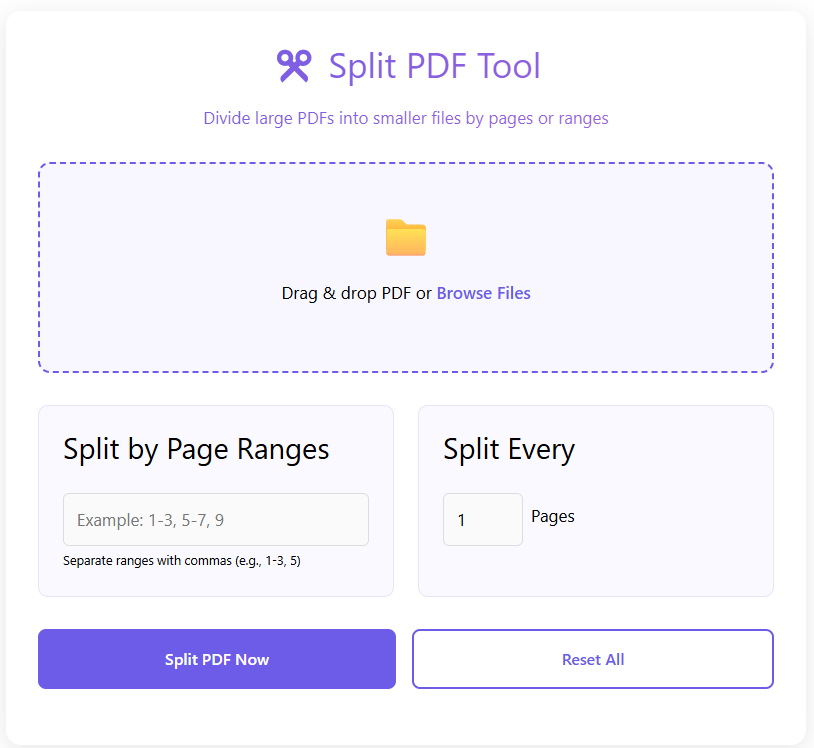
✂️ Split PDF Tool
Divide large PDFs into smaller files by pages or ranges
Split pdf tool
Working with large PDF files can be inconvenient. Sometimes you only need a few pages from a document, not the entire file. This is where a Split PDF Tool becomes essential.
Our Split PDF Tool allows you to split PDF files into smaller parts directly in your browser. You can extract specific pages or divide a PDF into multiple files without installing software or creating an account. If you want a fast and simple way to split pdf online, this tool is designed to make the process smooth and reliable.
What Is a Split PDF Tool?
A Split PDF Tool is an online utility that divides a single PDF file into multiple smaller PDFs. This can be done by page range, selected pages, or individual pages.
PDF files are fixed by design, which makes manual splitting difficult without specialized software. A modern free pdf splitter solves this problem by letting users split documents directly in the browser.
This browser based pdf splitter helps manage large files more efficiently while keeping the original content unchanged.
Why Use a Split PDF Tool?
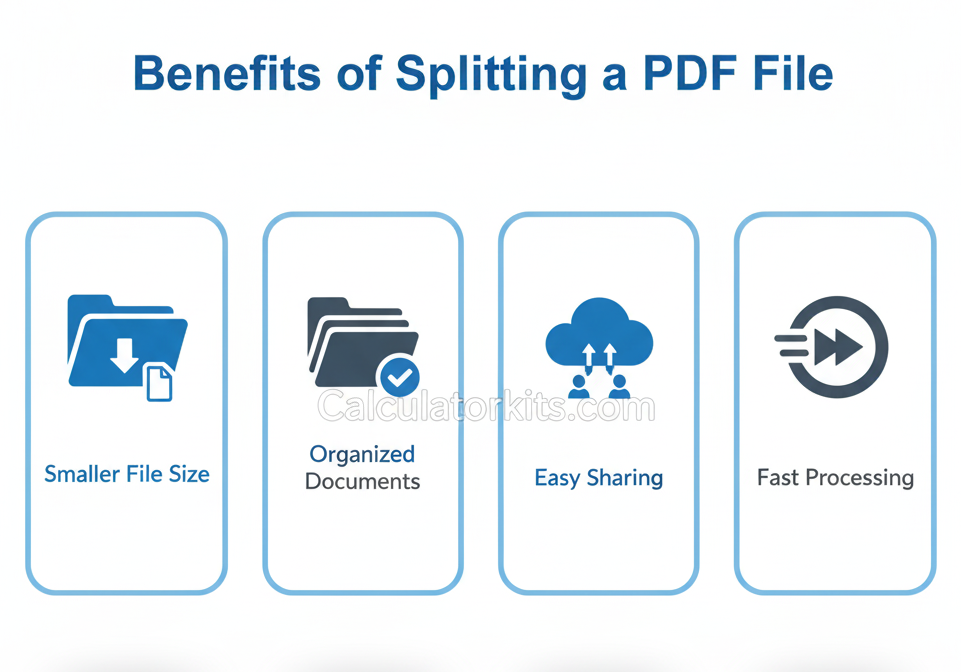
Using a Split PDF Tool offers several practical advantages.
Large PDFs are harder to share.
Only certain pages may be required.
Email size limits can be restrictive.
Editing large documents is time-consuming.
With a split pdf online solution, you can quickly separate only the pages you need.
A split pdf pages feature is especially useful for students, professionals, and anyone handling multi-page documents.
How to Use the Split PDF Tool
Using the Split PDF Tool is simple and beginner-friendly.
- Upload your PDF file into the tool.
- Select the pages or page ranges you want to split.
- Start the splitting process.
- Download the separated PDF files instantly.
Everything works directly in your browser, with no extra steps required.
When should you use this tool?
- When organizing document
- When extracting specific pages
- When splitting large PDFs
- When sharing part of a PDF
Key Features of the Split PDF Tool
The Split PDF Tool is built for clarity and performance.
- Split PDF files online without software
- Extract pages from PDF easily
- Browser-based processing
- No signup or login required
- Fast and reliable splitting
- Works on desktop and mobile devices
- Clean and simple interface
As a browser based pdf splitter, it focuses on speed and accuracy.
Who Can Use This Tool?
The Split PDF Tool is useful for many types of users.
Students can extract chapters from study materials.
Teachers can separate worksheets or exams.
Office professionals can split reports and contracts.
Freelancers can send only the required pages to clients.
General users can manage PDFs more easily.
Anyone who needs to extract pages from pdf files can benefit from this tool.
Pros and Cons of Splitting PDFs Online
Pros
- Easy to use
- No software installation
- Faster file sharing
- Works on all devices
- Secure browser-based handling
Cons
- Very large files may take longer
- Designed for splitting, not editing content
Overall, the tool provides a reliable and efficient way to manage PDF pages.
Related PDF Tools
For complete PDF management, you may also find these tools helpful:
- Edit documents with the Edit PDF Tool
- Combine files using Merge PDF
- Reduce file size with Compress PDF
- Rotate pages using Rotate PDF Tool
- Remove pages using PDF Page Remover
These tools work together to handle most PDF-related tasks.
Safety, Privacy, and File Handling
User trust is important. The Split PDF Tool is designed with privacy and transparency in mind.
Files are processed using browser-based technology wherever possible. Your PDFs are not stored permanently, and no account is required to use the tool.
Files are handled only for splitting and downloading. Always review the final output before using it for official or legal purposes.
Frequently Asked Questions
Is the Split PDF Tool free to use?
Yes, this is a completely free pdf splitter.
Do I need to install any software?
No. Everything works directly in your browser.
Can I split specific pages only?
Yes. You can select exact pages or ranges to split.
Are my files stored on your servers?
No. Files are not stored permanently.
Can I use the tool on mobile devices?
Yes. The tool works on smartphones and tablets.
Conclusion
The Split PDF Tool on CalculatorKits provides a simple and effective way to divide PDF files into smaller parts. It helps save time, reduce file size, and make document sharing easier.
With browser-based processing, no signup requirements, and a clean interface, this split pdf online solution is ideal for everyday use. If you need a fast and secure way to split PDF files, this tool is a practical choice.